2026 OS Telemetry Guide
In Extreme Privacy, 5th Edition I explained how I use a software firewall to prevent my computers from sending out details about my usage to the companies which create the applications and operating systems powering them. In Issue 011 of UNREDACTED Magazine, I explained how the Apple operating system now bypasses the software firewall to send data about your actions back to their servers without any notification. This generated a lot of feedback. Some wanted to know exactly what they should block for their own macOS machines while others wanted an updated list for Microsoft. Others were curious if this would apply to Windows virtual machines (yes, it does).
The purpose of this guide is to allow you to create a DNS filtering block list which can be used without a software firewall to prevent all telemetry from being sent to either Apple or Microsoft (or both if using a VM). You will need a free NextDNS account and your host operating system must be using this specific account for it all to work, as explained in Extreme Privacy, 5th Edition. Once you have that working, the following block lists block all telemetry by placing each option in the "denylist" within your NextDNS profile.
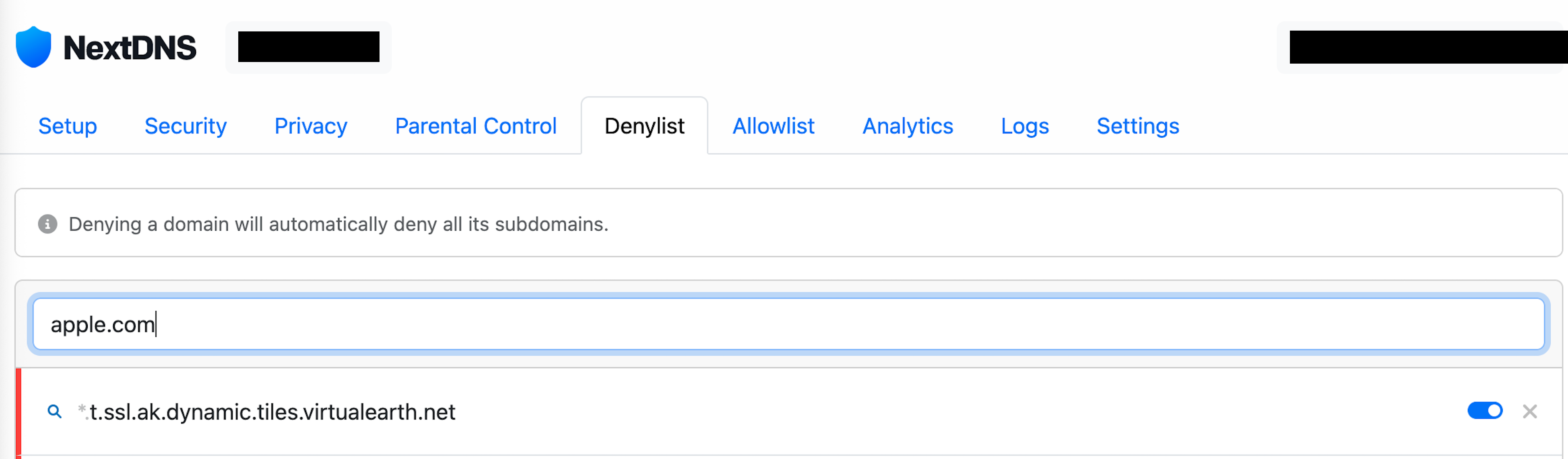
Apple Block List
apple.com
icloud.com
itunes.com
apple-dns.net
apple.news
apple-relay.cloudflare.com
apple-relay.fastly-edge.com
cdn-apple.com
aaplimg.com
akadns.net
dsce9.akamaiedge.net
sentry.io
demdex.net
mgr.gcsp.cddbp.net
safebrowsing.googleapis.com
ohttp-relay1.fastly-edge.com
Microsoft Block List
microsoft.com
microsoft.net
windows.com
windowsupdate.com
bing.com
live.com
msedge.net
office.com
skype.com
msn.com
office.net
xboxservices.com
cloud.microsoft
msftconnecttest.com
msftncsi.com
nelreports.net
t.ssl.ak.dynamic.tiles.virtualearth.net
img-s-msn-com.akamaized.net
edge-consumer-static.azureedge.net
prod-video-cms-amp-microsoft-com.akamaized.net
sentry.io
demdex.net
safebrowsing.googleapis.com
Once these are applied and activated, your system can no longer send data about your usage back to the motherships. However, that also means your systems can no longer receive updates or scan files and programs for suspicious behavior. This can be a serious risk for those who need that protection. I would never recommend this for a non-tech-savvy user. I also insist that I disable the DNS filtering at least once a week to download and apply system updates. During this time, I have no other apps open and I re-apply the DNS filtering upon a reboot.
I believe macOS users should still use a software firewall such as Little Snitch or Lulu in order to block telemetry of software applications (unless you want to constantly modify your denylist in NextDNS with their domains). It is also vital to change your time server to a nuetral provider (not Apple or Microsoft), as explained in the book. This keeps your time synchronized without allowing Apple or Microsoft to suck up everything else about your usage.
Overall, please do not apply any of this unless you understand the risks and benefits.
Results
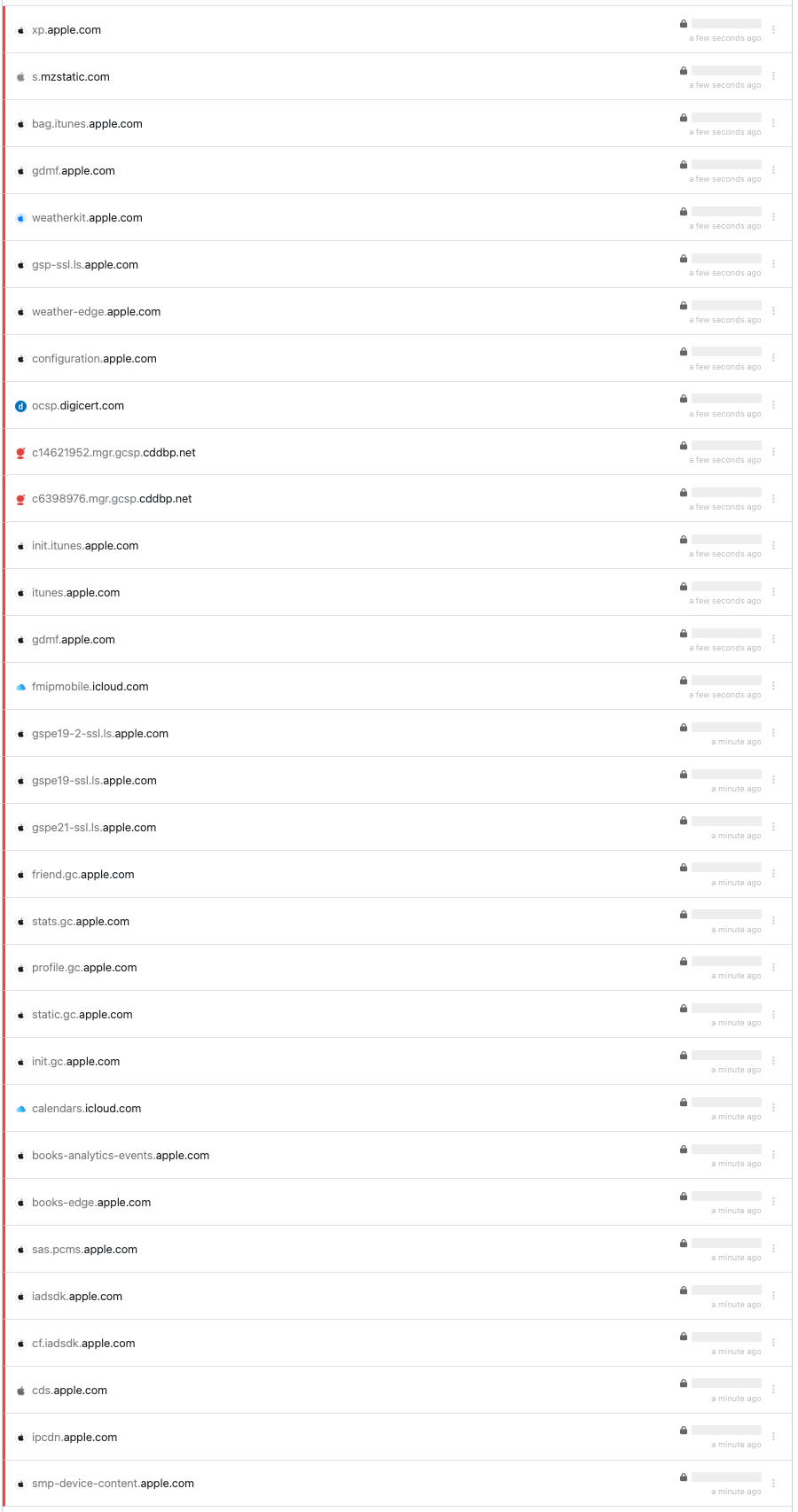
Within a few seconds of booting my Apple computer, the following is only a partial output of the connections being blocked. This was without opening a single application.
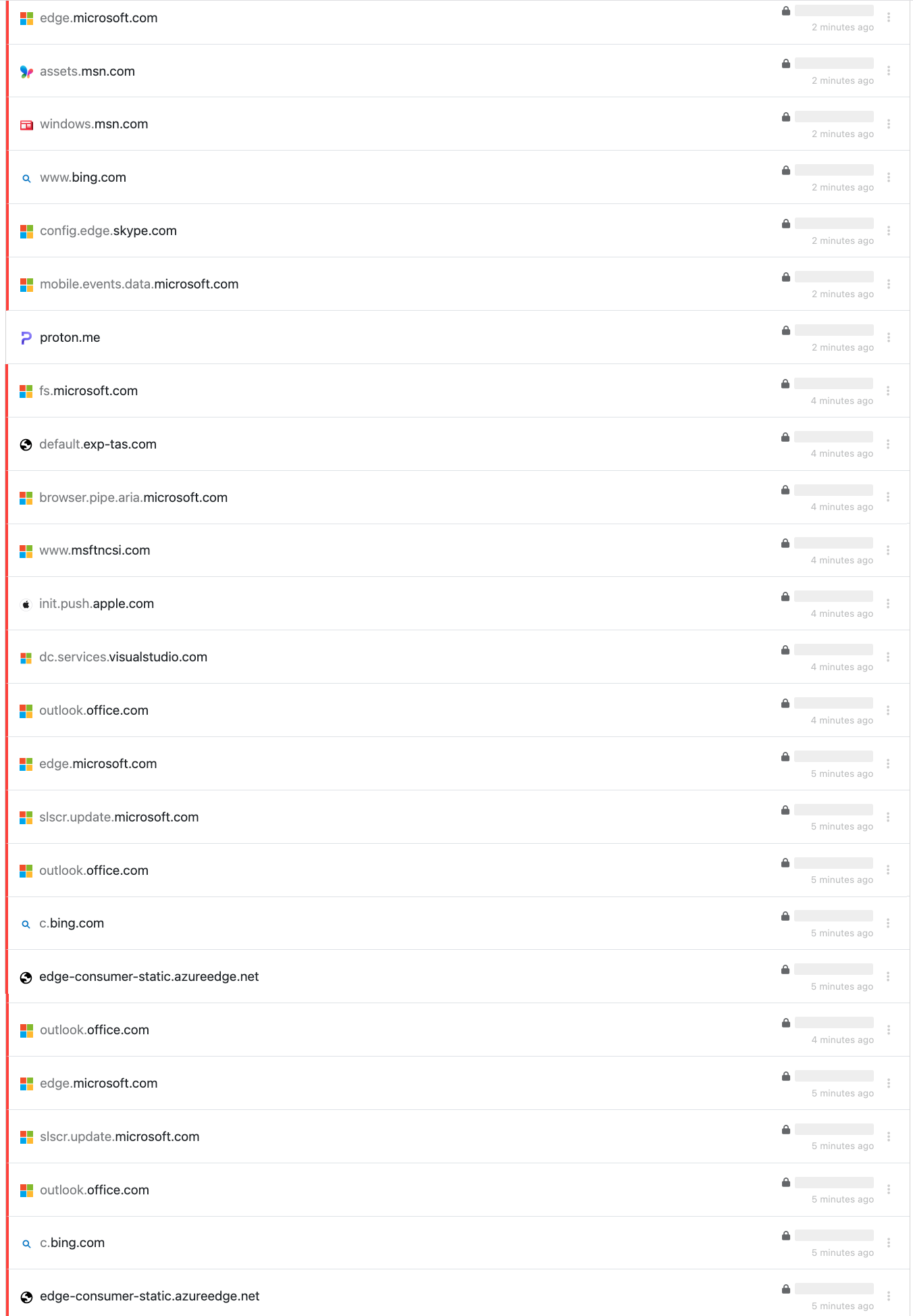
Within a few seconds of booting my Windows computer, the following is only a partial output of the connections being blocked. Notice that a connection to Proton was allowed since it was not on the denylist. Also notice that a connection to Apple popped in because many people with Windows systems may also use Apple-related applications. There is no harm in applying both block lists to any computer. The unused domains won't harm anything.
I want to say one last time that you should use caution when blocking system connections. In theory, it sounds great. You are preventing your host from snooping on you and documenting a lot about your activity, including your IP address, machine identifiers, accounts, programs you use, and when (and how) you use them. You are also preventing your system from protecting you. Only you can decide if you need their protection. If you have good digital hygiene, understand how cyber threats come into systems, and have the discipline to manually apply updates, you should be fine. If you are prone to viruses, this is not for you. Always understand how to reverse your DNS provider before making the switch. See Extreme Privacy, 5th Edition for more details.
Shortly after publishing this guide, we received a lot of feedback. A lot. There were two concerns. First, when enabling telemetry in order to update, would all of the locally-stored telemetry be delivered, making the protections useless? Second, many people asked why we excluded Linux from our guide. Let's tackle both.
The Linux response is easy. Linux does not natively collect much telemetry. Many distributions collect none at all. There is no central repository snooping on your daily activity. Therefore, we have no recommended DNS block list for Linux in general. If you are concerned, we recommend a software firewall such as Open Snitch instead of DNS filtering.
The other concern is more complicated. Yes, enabling all connections to Apple or Microsoft does open the flood gates for telemetry delivery, but not the way you might think. If you never use Apple's Music, News, Photos, or other stock applications, there is no telemetry to deliver. If you use those apps but have not opened them since the last reboot, much of the logs have been purged. If you are following our previous guides on purging logs, even less is stored (and transmitted). This is why I insist on only applying updates after a reboot with everything closed. Also, if you have no Apple account associated with the macOS device, there is no account to store all of the details. The general idea was to block the non-stop sending of data every minute to Apple or Microsoft and only allow connection when we need something from them. However, I respect the concerns and agree that opening the flood gates is not ideal.
Therefore, let's modify things a bit. When attempting to update macOS with DNS filtering set to block all connections, I can see in the DNS logs that things are working as desired.

I can also see that the updates were blocked.
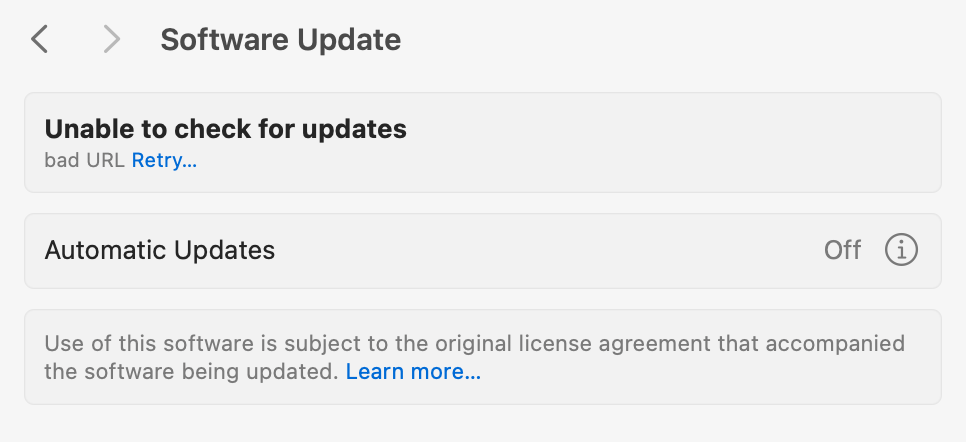
If I disabled all blocking, it should all work fine but would leak out too much data. Instead, I applied the following to my "Allowlist" within NextDNS.
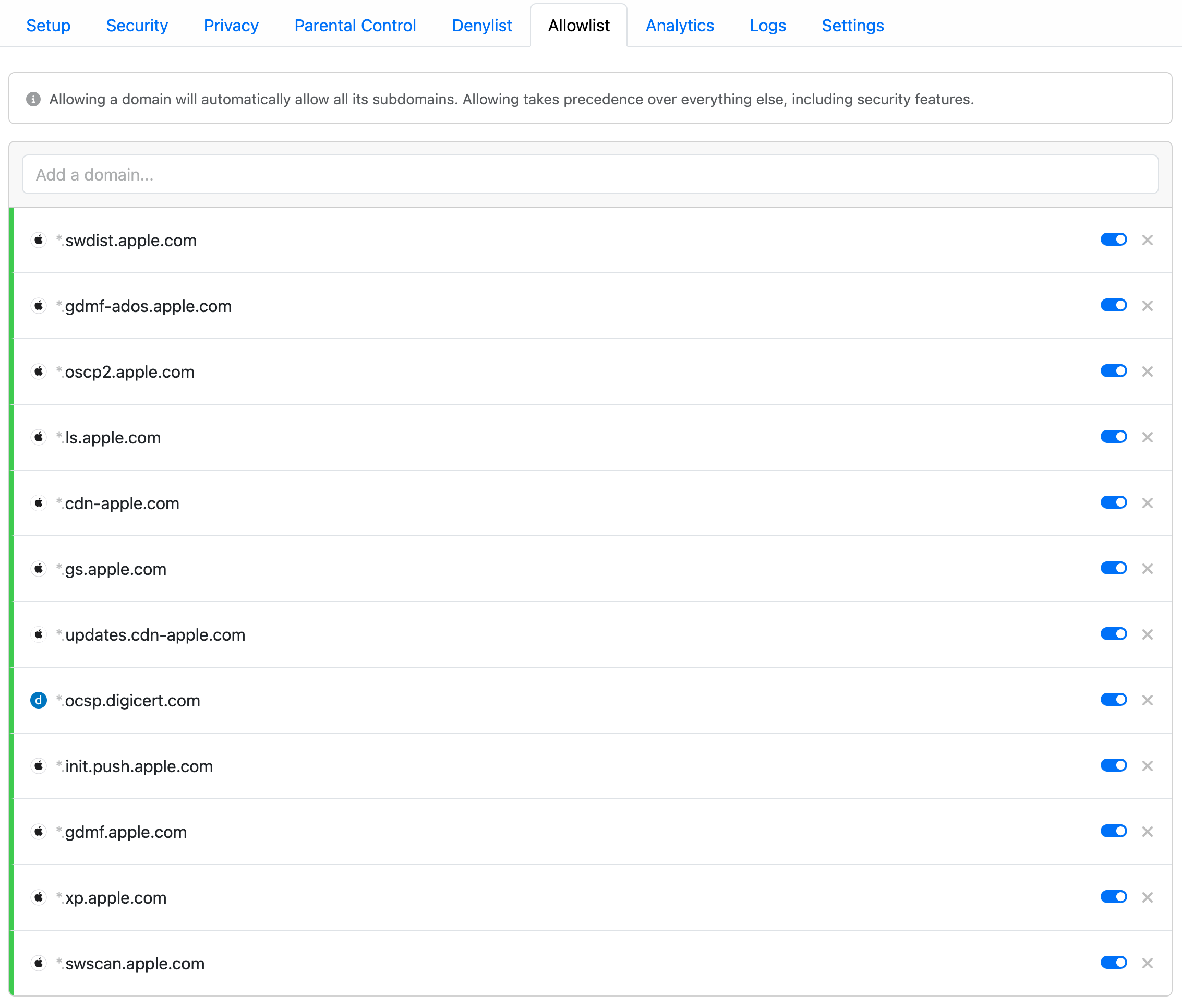
These are the bare minimum connections required to allow Apple to update macOS without openeing every connection on the domain. We are blocking every connection to apple.com but allowing swdist.apple.com (software distribution). These specific domains are related to updates and would not send telemetry based on applications such as News, Photos, Music, etc. After enabling these, I attempted updates again.
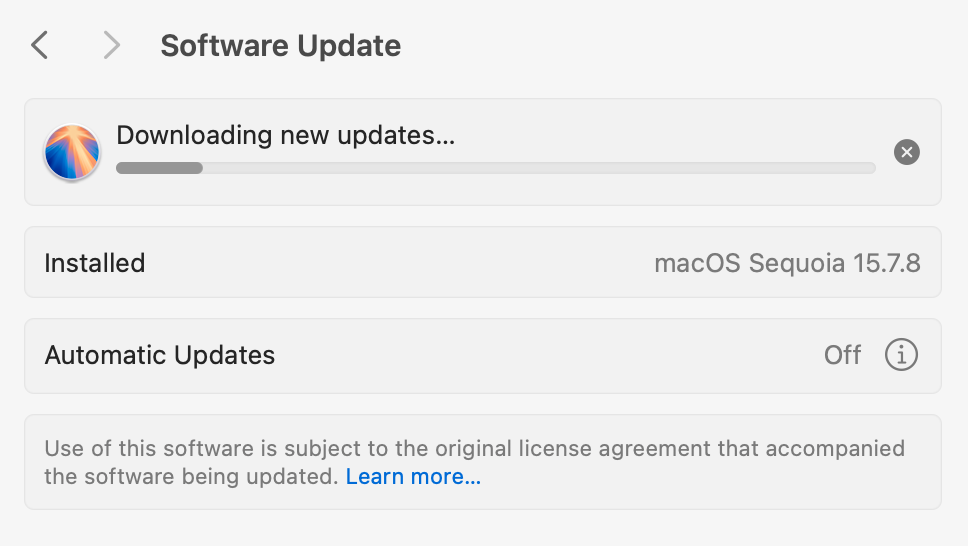
Everything worked and I allowed my machine to update. When complete, I simply disabled each rule but left them in the Allowlist for future use.
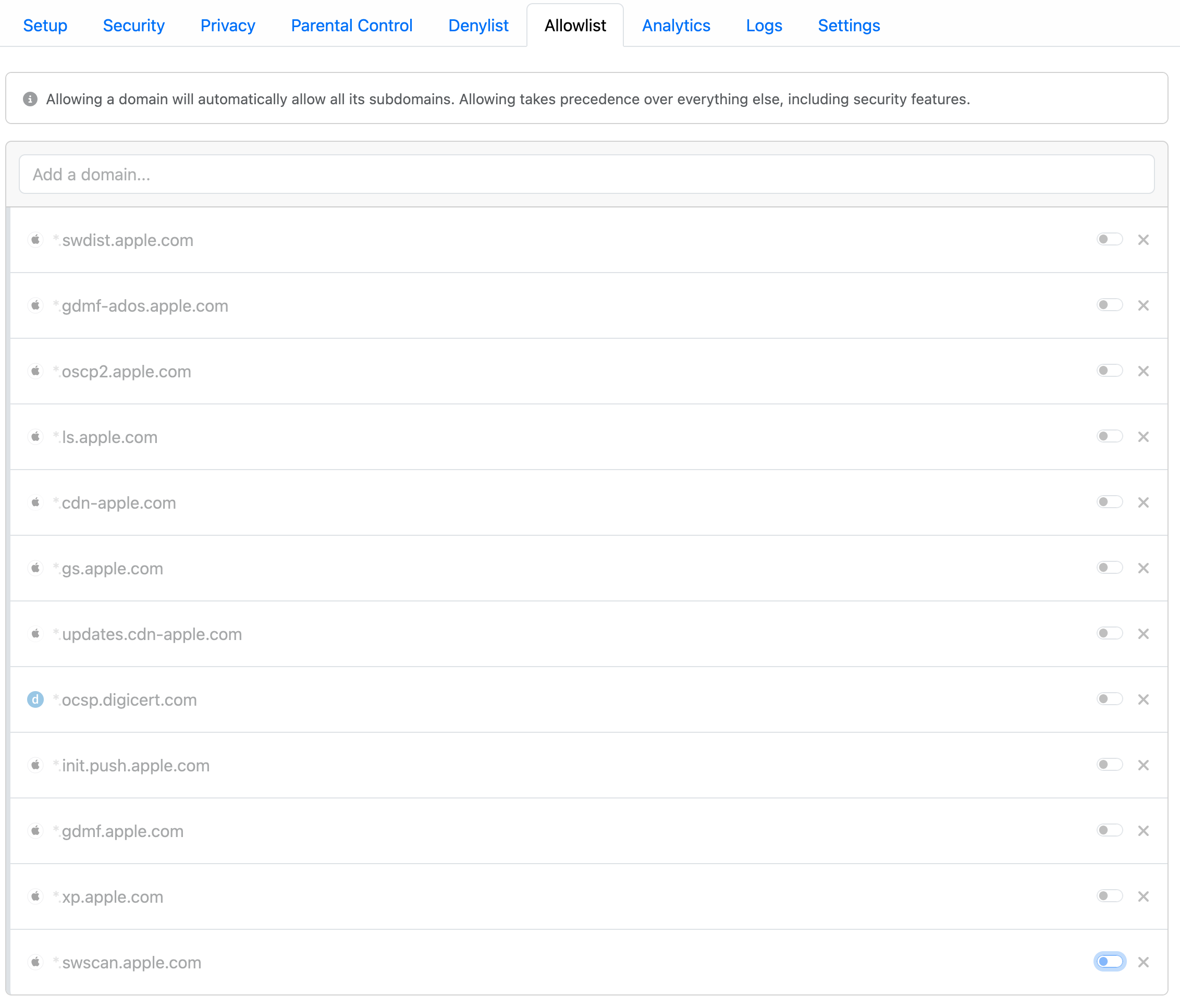
This could be replicated for Windows by watching your NextDNS logs while attempting an update. It takes a bit of trial and error, but should be straight-forward. However, both Apple and Microsoft constantly tweak these connections so expect failure at some point. When that happens, simply repeat the process and see what changed, adding the new domain to your Allowlist.